

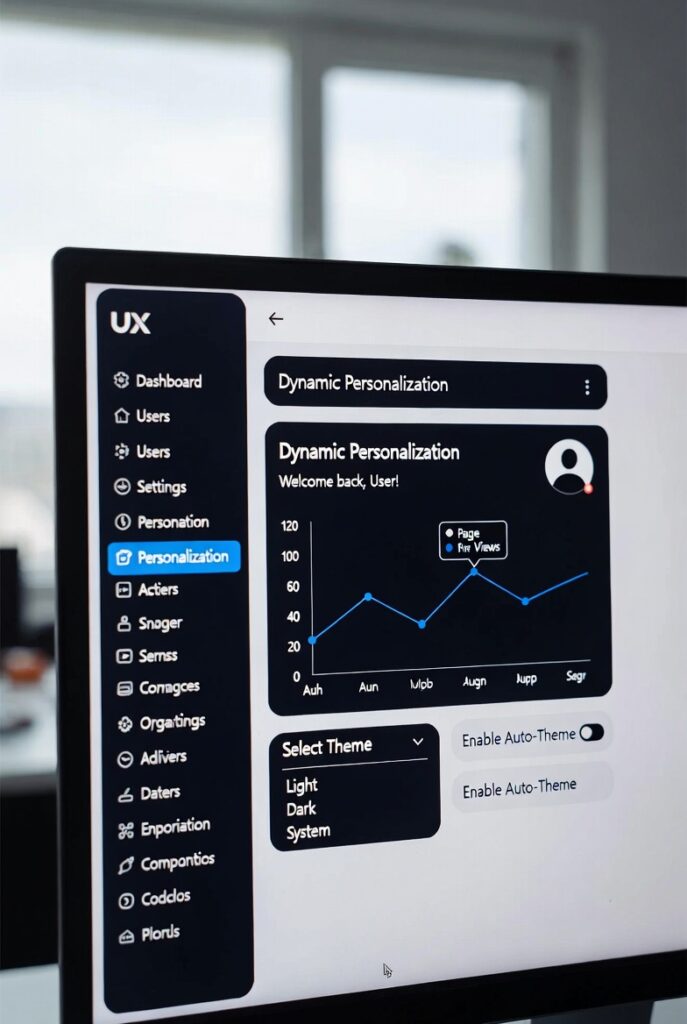
Dynamic Personalization in UX: Why Adaptive Interfaces Are Winning Retention in 2026
The interfaces holding onto users in 2026 aren’t the ones with the most features. They’re the ones that stop showing everyone the same screen — and the data behind that shift is now specific enough to act on, not just admire.
Most retention problems don’t announce themselves. A user signs up, pokes around for a few days, and stops coming back — no complaint, no support ticket, just silence. Nine times out of ten, the interface they left is the same one every other user saw on day one. It was built for an average user who doesn’t exist, and it never adjusted once it learned who the actual person on the other end was.
Dynamic personalization is the fix, but the term gets used loosely enough that it’s worth being precise about what it isn’t: it isn’t inserting a first name into an email subject line, and it isn’t a “recommended for you” carousel bolted onto an otherwise static product. It’s an interface that reconstructs itself — navigation, content density, what’s surfaced and what’s hidden — around what a specific person is doing right now.
Before / After: The Same Dashboard, Two Interfaces
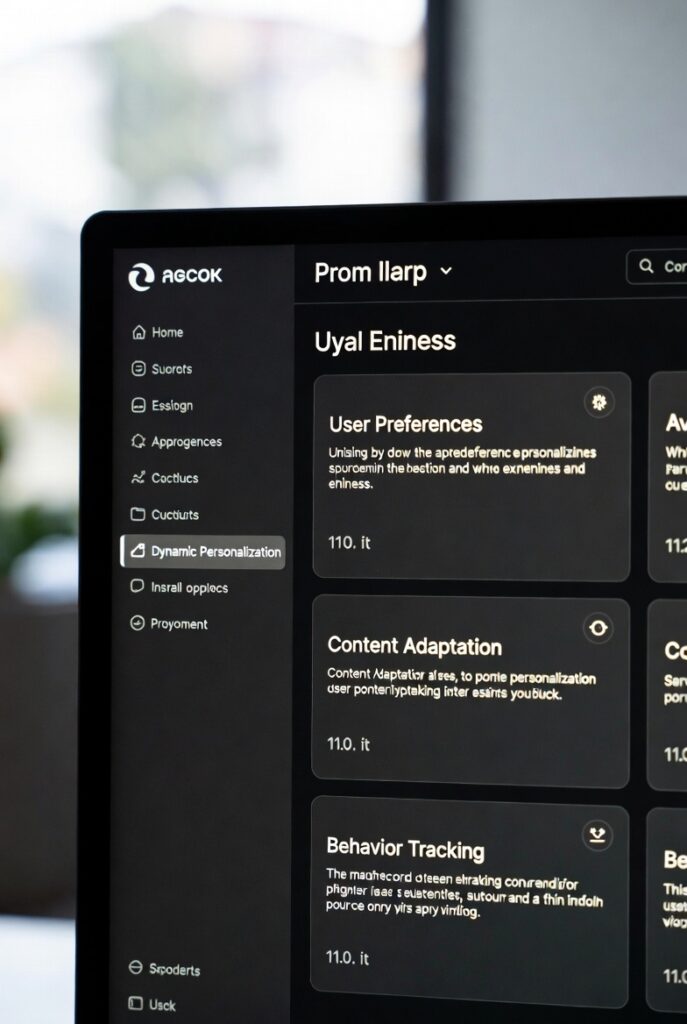
Below is a simplified, interactive mock of one real pattern from this article — a dashboard that either shows every user the same layout, or restructures around what a specific person actually does. Toggle between them.
Demo built for illustration. It shows the structural pattern described in this article, not a specific product.
(60–90 second screen-record of the toggle above, narrated)
Static vs. Dynamic: The Distinction That Actually Matters
“Personalization” has been diluted by a decade of low-effort implementations. A “Because you viewed X” carousel is personalization’s shallowest form — a static rule applied to an identifier. It’s not wrong, it’s just not what’s driving the retention numbers above.
Static vs. Dynamic Personalization
| Static | Dynamic |
|---|---|
| Based on historical profile data | Based on real-time behavioral signals |
| Changes at login or session start | Changes mid-session, mid-task |
| Selects from pre-built variants | Assembles the interface on demand |
| Segment-level (1-to-many) | Individual-level, real time |
| Designer controls every variant | Designer builds the constraint system; the system generates the layout |
The last row is the actual 2026 shift. A designer’s deliverable is no longer a fixed set of screens — it’s the rule set that decides which screen gets generated for a given person, in a given moment. That’s a different job, not a faster version of the old one.
Gartner forecast in 2023 that 30% of new applications would use AI to drive personalized, adaptive user interfaces by the end of 2026, up from under 5% at the time. That’s a three-year-old prediction, not a fresh 2026 finding, and it’s worth reading as directional rather than a number anyone has re-measured against actual 2026 deployment. Whether the exact figure lands, the direction hasn’t been in serious dispute — the question worth asking internally isn’t “should we do this” anymore, it’s “which layer are we missing.”
The Five Layers, and Where Most Teams Stop Too Early
Teams that personalize well tend to think about all five of the following layers together. Teams that stall out usually nailed layer one and never got further — which is worth knowing before you assume your personalization “isn’t working.” Each recommended action below is tagged by how solid the evidence behind it actually is — not every tactic has a measured number, and pretending otherwise would be dishonest.
1. Identity — who is this user
Role, expertise, subscription tier, prior history. This shapes access and greeting. Almost every product handles it adequately. Almost none go past it.
- If onboarding doesn’t ask role or use case, add one fork question — not a form — at step two, and route on the answer.REPORTED · Role-based onboarding routing is associated with roughly 30–50% higher activation in published SaaS benchmark studies (Userpilot, Segment case data) — wide range, unaudited, not a guarantee for your product.
- Pull a retention cohort split by self-reported role. The delta between roles is your personalization budget, quantified.EDITORIAL ESTIMATE · Diagnostic step — it doesn’t move a metric itself, it tells you which metric to chase next.
2. Behavioral — what is this user actually doing
Scroll depth, click sequences, abandonment points, repeated dead-end navigation. A user who opens Settings three times without changing anything is telling you something specific: they’re lost, not indecisive.
- Instrument rage clicks and repeated-navigation-without-completion. Both are symptoms with a fixable cause.EDITORIAL ESTIMATE · Foundational instrumentation — value shows up downstream in completion and support-ticket metrics, not as its own number.
- Build one trigger: three unsuccessful attempts at a task surfaces a contextual shortcut in the interface, not an email.EDITORIAL ESTIMATE · Medium-high expected impact based on the pattern behind Case 3’s reported 27% drop in navigation-related support tickets — directionally similar mechanism, not the same measurement.
3. Contextual — device, time, network, situation
An interface opened at 8am on a phone during a commute is functionally a different product from the same interface at 3pm on a laptop. Apple Intelligence’s 2025 rollout showed that meaningful inference can run on-device, removing the latency excuse that made mid-session adaptation impractical for years.
- Segment completion rate by device × time-of-day. A gap there is a context problem wearing a feature-request costume.EDITORIAL ESTIMATE · Diagnostic step, same category as the role-cohort pull above — surfaces where to act, isn’t itself the lift.
- Pre-surface the single most common post-launch mobile action instead of showing the desktop dashboard shrunk down.EDITORIAL ESTIMATE · No independently verified figure for this specific tactic — treat as a hypothesis to A/B test on your own traffic, not a promised lift.
4. Preference — what the user explicitly told you
Declared preferences are a different category from inferred ones — they’re a contract. The fastest way to lose trust in a product is to silently reset a user’s configuration during an update and call it a “refresh.”
- Audit your last three releases for silent preference resets. If you find one, acknowledge it in a changelog and restore the setting.VERIFIED (risk-reduction, not lift) · BCG’s 2024 survey of 23,000+ consumers found two-thirds had a negative personalized experience severe enough to break off the interaction — silent resets are a documented trigger of that category.
- After a user manually repeats an action three times, offer to make it the default. That converts a behavioral signal into an explicit, trusted preference.EDITORIAL ESTIMATE · No primary study isolates this specific micro-tactic; the underlying logic — reduce repeated friction — is well established, the exact number isn’t.
5. Predictive — what the user will need before they ask
The highest layer and the one most likely to backfire. Done well, users say the product “gets” them. Done on top of an unreliable behavioral pipeline, it produces confident, wrong suggestions — which erodes trust faster than a plain, unpersonalized interface would.
- Don’t attempt this layer until layers 1–3 are reliable. A prediction model on a broken data pipeline just generates confident nonsense.EDITORIAL ESTIMATE · Sequencing rule, not a lift metric — its “impact” is preventing the trust-erosion documented in BCG’s data below, by avoiding premature deployment.
- Start with the single action 70%+ of returning users take in their first two minutes. Surface it as a one-tap shortcut and measure the lift before reaching for a model.EDITORIAL ESTIMATE · Directionally supported by Netflix’s verified 20–30% CTR lift from surfacing the right content per user (see Case 1) — same principle, different context, not the same number.
- Build a “don’t suggest this again” control before you ship any ML-driven suggestion. A correctable mistake builds trust; an uncorrectable one destroys it.VERIFIED (risk-reduction) · BCG, 2024: two-thirds of surveyed consumers reported abandoning a brand interaction after a bad personalized experience — a correction path is the direct countermeasure to that documented failure mode.
The Dynamic Personalization Audit Checklist
Every “Do this next” action above, plus the four-phase roadmap and the five trust principles from this article, as a single printable PDF. Run it against your own product in under an hour.
Why This Actually Changes Loyalty, Not Just Convenience
Adaptive interfaces reach further into retention than “faster to the content” would suggest, because they trigger two things static interfaces structurally can’t.
Perceived progress
Teresa Amabile’s research on knowledge workers found that perceived progress is the single strongest driver of motivation in meaningful work. An interface that visibly changes as a user’s competency grows — scaffolding disappearing, advanced options unlocking — signals growth in a way a static interface has no mechanism to replicate, because it has no way of knowing the user isn’t who they were on day one.
The endowment effect
When a user configures navigation order, notification cadence, or a dashboard layout, they’ve co-authored part of the product. Leaving it now carries a cost that leaving a generic interface doesn’t. This is also why preferences built progressively across sessions tend to outperform a single front-loaded setup screen — ownership accrues gradually or not at all.
“Over eighty percent of a Netflix viewer’s attention goes to the artwork. The system has ninety seconds to capture someone before they leave.”
— Netflix Technology Blog, “Artwork Personalization at Netflix” (Chandrashekar, Amat, Basilico, Jebara)Three Implementations, Two of Them Verifiable
Generic “a travel app did X” case patterns aren’t useful. Two of the three below trace to a named primary source — a peer-reviewed paper and an SEC filing. The third doesn’t, and is labeled accordingly rather than dressed up to match.
Netflix: contextual bandits at 20M+ requests per second
Netflix’s artwork personalization doesn’t pick one “best” thumbnail per title — it uses contextual bandits, an online machine-learning approach, to choose artwork per individual viewer based on their history, handling peak loads over 20 million personalized requests per second. Netflix’s published research found thumbnail personalization lifted click-through 20–30%, with the largest gains on titles the viewer wasn’t already familiar with — exactly where visual framing does the most persuasive work.
The system also folds engagement-quality signals into its reward function specifically so it can’t learn to optimize for clicks that lead to low watch-time — a distinction between “engagement-optimized” and “satisfaction-optimized” personalization that most production systems don’t bother making explicit.
Duolingo: BirdBrain and the retention numbers behind it
Duolingo’s BirdBrain system restructures the curriculum itself — not just which content is shown within a fixed path — based on a learner’s mistake patterns, response times, and estimated retention probability. Two learners at the same nominal “level” can see materially different sequences depending on where their specific gaps are.
The outcomes are verifiable against Duolingo’s own SEC filings, not marketing copy. In its Q2 2026 10-Q, Duolingo reported DAUs of 58.7 million, up 23% year-over-year, accelerating from Q1’s growth rate, with the filing attributing the increase “largely by an increase in retention of current users” rather than new-user acquisition. MAUs reached 140.6 million, up 10% year-over-year. Bookings grew 8% to $289.1 million.
One honest caveat: it would overstate the evidence to credit that retention gain to BirdBrain specifically. On the Q2 2026 earnings call, CEO Luis von Ahn attributed “the vast majority of that growth” to what Duolingo calls the Green Machine — a continuous process of testing hundreds of small product changes and keeping the ones that work, of which adaptive curriculum sequencing is one input among many, alongside features like Streak Revival and Video Call. The retention number is real and SEC-verified; the specific causal weight of personalization within that broader process isn’t something the company has broken out.
Still, the pattern is instructive on its own terms: DAU growth accelerating while the company’s own language points to retention rather than acquisition is the signature of a product getting better at keeping the users it already has — which is what adaptive, retention-focused product work is supposed to produce, even when it can’t be cleanly isolated from everything else shipping alongside it.
A role-adaptive dashboard and a support-ticket signal
This one comes with a caveat worth stating plainly: it’s documented in UX case study writeups rather than a company’s own audited disclosures, so treat the number as a reported figure, not a verified one the way the Duolingo and Netflix numbers above are. A fintech analytics platform replaced six hand-built report views with a single adaptive dashboard that restructured itself by role, recent activity, and which data elements a given user accessed most. Support tickets of the “where do I find X” variety reportedly dropped 27% — not because the underlying design got better, but because users stopped having to navigate to information that should have surfaced on its own.
The instructive failure here isn’t technical. The team had assumed six layouts were “comprehensive.” They were comprehensive for an average user who, as usual, didn’t exist — actual usage clustered around role-specific subsets far more sharply than the original design accounted for.
Where Personalization Backfires: The Trust Paradox
Dynamic personalization has a failure mode static UX doesn’t have: it can read as surveillance instead of service. BCG’s 2024 survey of more than 23,000 consumers found that two-thirds had at least one negative personalized experience with a brand that made them break off the interaction entirely — not a minority edge case, a majority one. The same behavioral data that makes personalization good, used without explanation, is what triggers that reaction.
Five principles that keep personalization on the right side of that line
- Explain the change. “Based on your recent activity, we’ve highlighted X” isn’t surveillance — it’s the difference between a visible adaptation and an invisible one. Users tolerate the first and distrust the second, even when the underlying logic is identical.
- Put controls in the main navigation, not a settings footnote. Prominent controls correlate with lower opt-out rates than buried ones — visibility signals the system has nothing to hide.
- Build a correction path. A wrong suggestion the user can dismiss and flag turns a failure into a trust deposit. One they can’t correct just confirms the system doesn’t listen.
- Collect the minimum data the adaptation actually needs. Over-collection, even consented, reads as imbalance — users notice when a system seems to know more than the moment calls for.
- Stay first-party. Consumers are broadly willing to trade data for real personalization, but the willingness is conditional on the exchange being visible and the result being genuinely useful — not a byproduct of third-party tracking they never agreed to.
The regulatory backdrop is relevant here too, with one correction worth being upfront about: the DOJ’s Title II rule requiring WCAG 2.1 Level AA conformance for state and local government sites was originally due April 24, 2026, but on April 20, 2026 — four days before it took effect — the DOJ issued an Interim Final Rule pushing it back a year, to April 26, 2027 for larger public entities and April 26, 2028 for smaller ones. The standard itself didn’t change, only the clock. Combined with the European Accessibility Act’s June 28, 2025 deadline, the direction of travel is the same even if the U.S. public-sector timeline just got looser: an adaptive interface that restructures itself dynamically has to do so in a way that’s still navigable with a screen reader or keyboard alone, and that’s a harder design problem than most teams building generative UI have budgeted for.
What’s Making This Practical Now
Three shifts moved dynamic personalization from theoretically possible to operationally normal between 2024 and 2026.
On-device inference killed the latency excuse
Server round-trips used to make mid-session adaptation too slow to feel native. Apple Intelligence’s 2025 rollout demonstrated on-device inference at a scale that removed that constraint for a large share of mobile UX.
First-party data infrastructure became an asset, not a compliance cost
Teams that built first-party behavioral pipelines in response to cookie deprecation now hold richer, owned signal than teams still leaning on third-party data. What started as a regulatory response became the actual personalization moat.
Interfaces assemble at render time
This is the real structural change, and it’s worth being precise about what it does and doesn’t mean: it does not mean an AI invents UI from nothing. It means a system selects and configures existing components against a constraint system a human designer built, to produce an appropriate layout for a given person in a given context. The quality ceiling is set by the constraint system, not by the model — which keeps this a design problem, not just an engineering one.
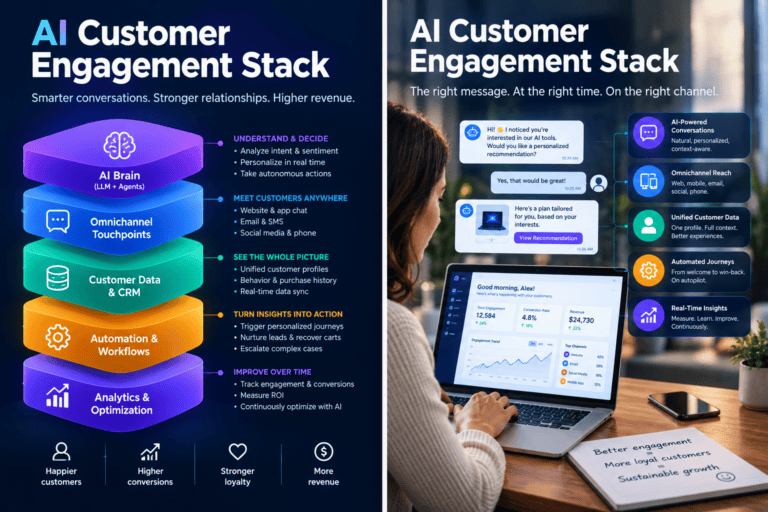
Core Components of a Dynamic Personalization Stack
| Layer | Component | What it enables |
|---|---|---|
| Signal collection | First-party behavioral event stream | Real-time intent detection |
| Identity resolution | Cross-session user graph | Continuity across devices |
| Inference | On-device + cloud models | Low-latency prediction |
| Generation | Component library + constraint system | Interface assembly at render time |
| Feedback loop | Implicit + explicit signal processing | Ongoing recalibration |
| Privacy layer | Consent management + minimization | Trust, GDPR/EAA compliance |
The stack is only as strong as its weakest layer. A sophisticated model sitting on top of an unreliable event stream just generates confident, wrong output — which is worse than doing nothing, not neutral.
A Four-Phase Roadmap — and Why Skipping Ahead Fails
| Phase | Focus | Success gate |
|---|---|---|
| 1. Signal foundation | Behavioral event instrumentation, first-party pipeline | “What did this user do in their last 5 sessions?” answerable in under 10ms |
| 2. Segment personalization | Rule-based paths for 3–5 user archetypes | 15%+ lift in activation rate |
| 3. Individual personalization | ML-driven preference inference | Rising return frequency and acceptance rate over 90 days |
| 4. Predictive / generative UX | Proactive adaptation, AI-assembled layouts | Users unprompted describe the product as “knowing” them |
The most expensive mistake is treating phase 4 as the goal and phases 1–3 as friction to route around. They’re not friction — they’re the infrastructure phase 4 runs on. Skip them and you get a recommendation engine sitting on a broken pipe, generating suggestions that feel random. Users don’t read that as a neutral glitch; they read it as evidence the product doesn’t understand them, and that kind of churn is harder to win back than churn from a plain, unpersonalized interface.
Measuring the Right Thing
Personalization creates a specific measurement trap: the most visible metric can improve while actual retention gets worse.
| Metric | What it actually measures | Warning sign |
|---|---|---|
| Recommendation CTR | Whether suggestions get clicked | Rises while return frequency stays flat — you’re winning clicks, not habits |
| Task completion velocity | Whether personalization reduces friction | Session time up, completions flat — that’s distraction, not engagement |
| Personalization acceptance rate | Whether users trust the system’s inferences | Declining rate signals model drift |
| Preference stability | Whether inferred preferences hold up over time | High correction rate means the model is wrong often enough to notice |
| 90-day retention cohort delta | Whether personalized users actually retain better than a matched control | The only metric on this list that proves business impact — everything above it is a leading indicator |
Duolingo’s Q2 2026 numbers are a clean illustration of tracking the right one: its own 10-Q ties the DAU acceleration to retention of existing users, not new signups — the metric that’s actually hard to fake and hard to buy, even if (as noted above) the company credits that retention gain to its broader product-testing process rather than to personalization alone.
The Next Two Years
Emotional-state inference
Multimodal models are starting to infer user state — frustration, flow — from typing cadence, scroll behavior, and error-recovery patterns. Preliminary academic and industry research in 2025 found consistent correlations between interaction patterns and self-reported cognitive load. The open question isn’t technical feasibility, it’s consent: how much emotional inference is acceptable without a user explicitly agreeing to it, and how transparent does that inference need to be. Teams that answer that before a public incident forces the question will have an easier time than teams that don’t.
Agents as intermediaries
If a user increasingly routes purchasing or scheduling decisions through a personal AI agent, the entity your interface is personalizing for is no longer purely human. That changes what “adaptive” even means, and almost no one has fully worked out the implications yet.
Cross-surface personalization
The highest-leverage opportunity for most multi-product companies isn’t a better single surface — it’s consistency across all of them. A user’s mobile behavior should inform what they see on desktop, in a support interaction, and at renewal. McKinsey’s data on personalization-mature companies points to cross-surface orchestration, not per-channel optimization, as the source of the revenue premium.
For constraint-system templates and a cross-surface personalization architecture walkthrough, see the technical resources at aipersonalization.cloud.
Technical Resources →Frequently Asked Questions
An interface that adapts in real time to what a specific user is doing, not just who they are historically. Unlike static personalization, which applies segment rules to profile data, dynamic personalization updates navigation, content, and interaction flow within the current session — based on behavioral signals, context (device, time, location), and inferred intent.
Three mechanisms: on-device inference (removing the server-round-trip latency problem), first-party behavioral pipelines (giving models signal reliable enough to trust), and generative interface systems that assemble layouts from existing components at render time rather than picking from pre-built variants. Netflix’s contextual-bandit artwork system, handling 20M+ personalized requests per second, is the clearest production example of the first two working together at scale.
Standard personalization is segment-level — you belong to one of a fixed number of groups a team designed for. Hyper-personalization operates per individual, per session, and its ceiling scales with your user base rather than with how many variants a design team had time to build. Duolingo’s BirdBrain, which restructures the curriculum per learner rather than per learner tier, is a working example.
First-party data with explicit, transparent consent; on-device processing where feasible; collecting the minimum data a given adaptation actually requires; explaining changes to the user rather than adapting invisibly; and putting personalization controls somewhere the user will actually find them. BCG’s 2024 survey found two-thirds of consumers have had a negative personalized experience severe enough to break off the interaction — the practical argument for treating this as core UX, not a legal checkbox.
Recommendation click-through rate is the most tracked and least reliable proxy on its own. The metric that actually proves impact is the 90-day retention cohort delta between personalized users and a matched control group — everything else (task completion velocity, acceptance rate, preference stability) is a useful leading indicator, not proof.
Adaptive design picks from a finite set of pre-built screen variants. Generative UI assembles the interface from existing components at render time, governed by a constraint system a designer built — it doesn’t invent UI from scratch. The practical ceiling on quality is the constraint system, which is still entirely a human design problem, not a model capability question.
Sequence matters more than speed. Phase 1: reliable behavioral event capture (test: “what did this user do in their last 5 sessions?” answerable in under 10ms). Phase 2: rule-based paths for 3–5 user archetypes, targeting 15%+ activation lift. Phase 3: ML-driven individual preference inference. Phase 4: predictive and generative UX. Skipping 1–2 to reach 3–4 faster is the most common failure mode — it produces confidently wrong suggestions on top of an unreliable data pipeline, which damages trust faster than no personalization would.